
Quick Answer: GCash account recovery is the process of gaining access to a GCash wallet that is locked or compromised. It can be done within the app or in the official GCash Help Center. Have a valid government ID, your old GCash mobile number, and any recent transaction information that comes to mind.
Losing access to your GCash account feels worse than losing a wallet. The money is in there, your bills are linked, and suddenly you can’t get in. They panic and begin to do random things. Most of those things don’t help and a few make it worse.
Recovery is doable. All it requires is a correct road and some waiting. Here’s the typical issues that could make GCash non-operational, the quick steps you can take and the steps you can take if it doesn’t.
Why GCash Accounts Get Locked
There’s no single reason. These are too many incorrect MPIN attempts, flagged for suspicious activity by the system, a change of SIM, a forgotten password, or an account that has been hacked. GCash can sometimes block accounts for security reasons, particularly when odd transactions are made.
Lockouts can also happen if you tried logging in from a new device with no verification. The system would rather lock the account and ask later than risk a stranger getting in.
Knowing why your account got locked changes the recovery flow. A forgotten MPIN is fast to fix. A hacked account or SIM change takes longer because GCash needs to be sure it’s really you.
Try These Basic Recovery Steps First
Before reaching out to support, run through the simple stuff. Most lockouts get resolved here.
- Wait the cool down time and repeat the process. Temporary lock is activated by multiple wrong attempts. Wait 30 minutes or more before trying again.
- If you forgot your MPIN, go to the login screen using the Forgot MPIN option. An OTP will be sent to your registered cellphone number. If you are able to receive that OTP then you’re in business.
- Verify the SIM’s functionality. Pop it into another phone if needed. No SIM means no OTP, which means no quick recovery.
- Check your registered email. Sometimes GCash sends recovery instructions there, especially for unusual login attempts.
- Update the GCash app. Old versions sometimes break login flows. Update app to latest version from the official app store.
- If none of these work, it’s time to file a recovery case through support.
Full Recovery Through GCash Support
For deeper lockouts, the official Help Center handles it. Don’t use random hotlines.
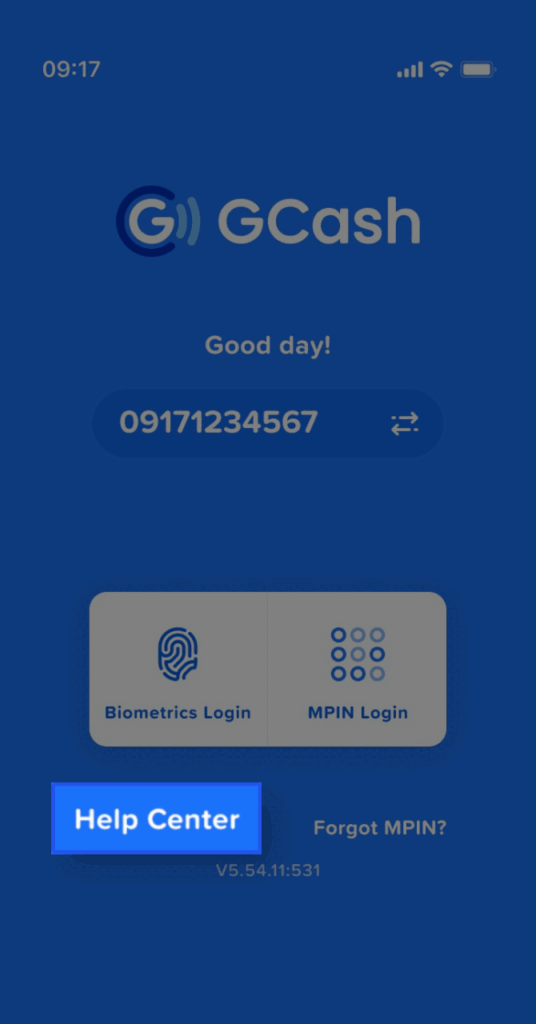
If possible, open the GCash app. Click the Help icon, search for Account Recovery or Locked Account. Choose the most appropriate answer. You will be requested to enter your registered mobile number, a short description of the problem and additional information. For those who could not open the app, visit the official GCash Help Center site instead.
You will receive a case ID once you’ve filed. Save it. All succeeding follow-ups require that ID. Be prepared for a few days of give and take. The team might request a picture ID, a selfie and recent transactions. A quick response is a key to a fast-moving case.
What ID and Proof You’ll Need
Open the GCash app in the App Manager or the Apps section in Settings, and clear the cache and storage.
After this, please follow these steps.
- Open the GCash app.
- Enter the SIM number where you previously created your GCash account.
- Fetch the OTP.
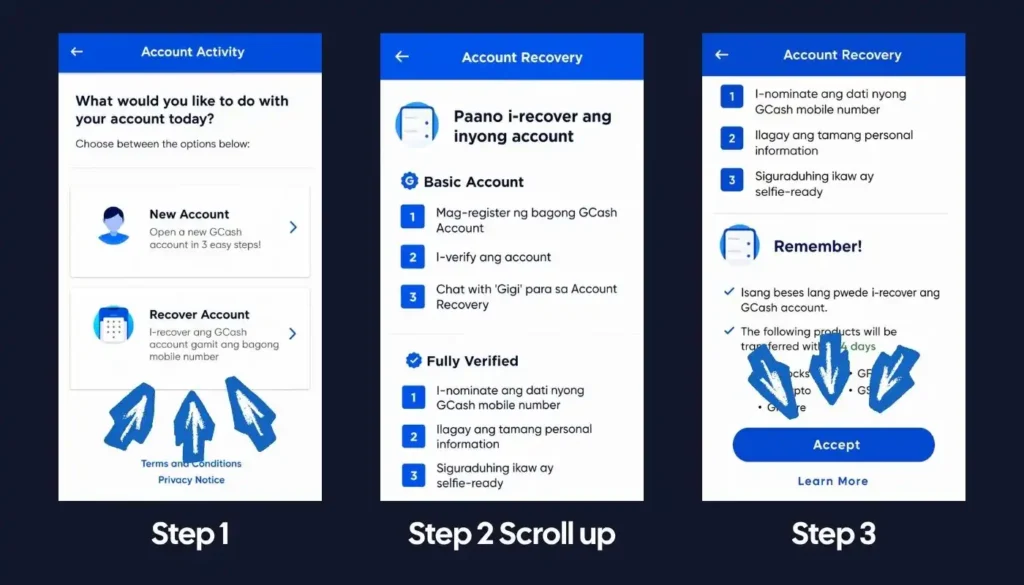
- After that, you will see two options: as you can see in the screenshots below
- New Account
- Recover Account
Choose Recover account
Have these ready before you file. Missing items send the case to the back of the queue.
- A valid government-issued ID (passport, driver’s license, PhilSys ID, UMID, or similar)
- A clear selfie holding the ID
- Your registered GCash mobile number
- The exact amount and date of one or two recent transactions, if you remember them
- The registered email on the account
A few small habits help. Take the ID photo in daylight. Ensure that ALL four corners are visible. Don’t cover any text with your fingers. Make the selfie clear and well-lit. The faster GCash can verify you, the faster you get back in.
If You No Longer Have the Linked SIM
You don’t have access to your account, you cannot receive an OTP and the old SIM has been permanently removed. Don’t despair, it’s not too late, but it will take longer.
File a recovery case the same way, but mention in the description that you lost the linked SIM. GCash will move you to a manual review track. You’ll need to submit stronger proof, often a notarised affidavit of loss for the SIM along with your usual ID. The whole flow can take a couple of weeks.
After recovery, change the linked number to your new SIM right away. For the steps, see our guide on how to change your phone number in GCash inside the GCash Account Help Guide.
FAQs
How long does it take to fix a GCash account recovery case?
It’s the official process of regaining access to a GCash wallet after a lockout. The wallet remains untouched during the review, which means that the money is safe during the process.
How long does it take to fix a GCash account recovery case?
Simple cases like a forgotten MPIN take minutes. Lockouts involving lost SIMs or suspected hacks can take a few business days to two weeks, depending on the proof you submit.
When should I contact GCash support?
Right after the basic steps fail. Don’t keep retrying the MPIN. That digs you deeper. Visit the in-app Help section or the official Help Center website.
Final Thoughts
GCash account recovery isn’t fun, but it’s not impossible either. The single best thing you can do is gather proof before you panic-message support. ID, mobile number, recent transactions, that’s the kit. After that, just stay patient and reply quickly when the agent follows up.
Have you ever recovered a GCash account after a lockout? Tell us in the comments how long it took and what finally got you back in.